Mythforge PDF Forge
Turn PDF and image pages into finished documents faster
Import PDF, PNG, JPG, or WebP pages, arrange them visually, check formats, and export a final PDF directly in your browser.
Local processing: original files stay in your browser.
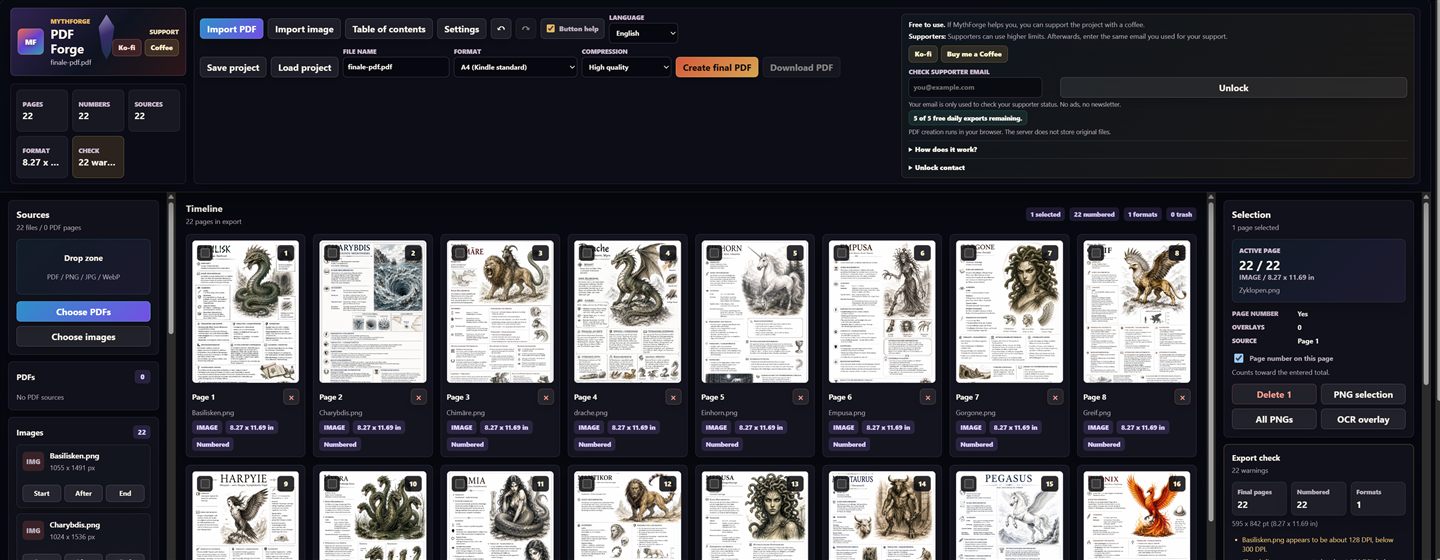 Open PDF Forge
What PDF Forge does
Import PDFs and images
Drop PDFs and images into the source tray and insert individual pages or complete sources into the timeline.
Arrange pages visually
Sort, delete, number, and review pages before export in a dense production workspace.
Export a finished PDF
Choose page size, compression, and numbering, then generate a final PDF for print, KDP, or sharing.
Privacy-conscious by design
PDF creation runs in the browser; the server only handles necessary status and support data.
How it works
Import files
Choose PDFs or images and manage sources in the left panel.
Build the timeline
Insert, move, number, and check pages before export.
Generate the PDF
Set target size and compression, then download the final file.
Frequently asked questions
Are my PDF files uploaded?
No. PDF creation runs in your browser. The server does not store original files.
Which file types are supported?
You can import PDFs as well as PNG, JPG, and WebP images and combine them into a new PDF.
Is it suitable for KDP or print formats?
Yes. The app includes formats such as A4 and KDP standard sizes, plus export checks for page count, numbering, and format.
Do I need an account?
No. You can use PDF Forge without an account.